
What does an enterprise AI readiness assessment look like?

An AI readiness assessment shows where your organisation stands today and what risks AI adoption would carry, so you can decide how to proceed before you commit more budget. Adoption depends on technology foundations, people and process maturity, so the assessment looks at all three and sets out a path to secure, cost-effective and impactful AI. Telana’s assessment covers both kinds of AI:
- Productivity AI: assistants built into your productivity tools, such as Microsoft 365 Copilot or Gemini in Google Workspace.
- Custom AI: Agents built on your own data and wired into your processes.
It answers three questions:
- What is your current risk profile?
- Based on that risk profile and your appetite for risk, what AI adoption can progress now, and what should wait until fixes are in place?
- Where should you start?
Most organisations we assess are keen to use AI. The gaps are rarely in appetite or culture. They are in controls, governance and foundations: who has standing admin access, which content is overshared, which data needs to be protected, whether the data platform is safe to connect to, and whether anyone owns AI policy. AI assistants and agents work with the user’s permissions, so they can find anything that the user can reach. Readiness means understanding those risks, and deciding which you are comfortable with, before AI scales across the business.
What an AI readiness assessment covers
Our assessment runs across seven workstreams. Each one produces findings, recommendations and a plain statement of what it means for AI readiness.
- Vision and business alignment: your AI strategy, objectives and known use cases, and whether AI spend is linked to business goals.
- Productivity and cloud platforms: security and governance posture against baseline controls, across Microsoft 365, Azure and Active Directory, or Google Workspace and Google Cloud. It covers identity and privileged access, external sharing, network exposure and resilience.
- Data classification and protection: sensitivity labels, data loss prevention, retention and oversharing, using Microsoft Purview or Google Workspace’s classification labels and DLP.
- Governance and operating model: AI policy, shadow AI, change capacity, process and FinOps for controlling AI spend.
- AI assistant adoption: enablement, support, audiences and how value is measured for Copilot or Gemini.
- Data platform: whether your data platform is secure, structured and governed enough to act as a source for AI, on platforms such as Microsoft Fabric, BigQuery or Databricks.
- Licensing: what your current licences or editions cover, and what the recommended controls would need.
Many organisations run more than one platform, such as Microsoft 365 for productivity and Google Cloud for data. The assessment follows your estate as it is, rather than assuming a single vendor.
A generic maturity model tells you where you sit on a scale. This assessment tells you which findings an AI assistant would amplify, how serious each one is, which can be addressed while you roll out, and which you may want to resolve before going further.
How the assessment works
We gather evidence from three sources.
- Workshops and interviews. We run a workshop for each workstream and interview stakeholders across technology, legal, transformation, finance and operations. This is where strategy, governance, adoption and licensing are assessed.
- Technical platform reviews. These are automated reviews of your Microsoft or Google estate against security and governance baselines. Every finding is evidenced and graded from low to critical.
- Specialist assessments. These are a data protection and AI assistant readiness assessment, and an independent review of your data platform, including platforms built or run by a third party.
The principle throughout is smart before expensive: fix the foundations and make the most of the investment you already have before building custom solutions.
What you get
- A leadership summary. It gives the headline findings, where you start from (strengths to build on and gaps to close) and the roadmap.
- A risk-based view of your AI rollout. It shows which findings carry enough risk that you may want to pause or limit adoption until they are fixed, and which can be addressed in parallel.
- The AI readiness report. It sets out findings, AI implications and recommendations for every workstream, with a prioritised list of recommendations.
- Detailed technical reports. These cover your platform reviews, data protection and the data platform. Each comes with graded findings and remediation steps your technology team can act on.
- Cross-cutting themes. These are issues that appear in more than one review, such as identity and privileged access or sensitive data exposure, so one programme of work fixes them in several places.
- A licensing view. It shows what your current entitlements cover, and the options for controls that need more.
- Strategy and operating model recommendations. Where needed, these include a two-tier approach that separates productivity AI from custom AI. They can also include a governance structure: a steering group, a centre for enablement and an AI champion network. Finally, they cover a way to fund and measure AI by business capability rather than by project.
- A phased roadmap. It sets out the decisions and owners for your first 30 days, then a view of the months that follow across Get Control, Get Moving and Get Ahead.
Where readiness fits the run/drive journey
AI readiness is not a pass or fail test at the end of a programme. The roadmap it produces follows our three phases.
Get Control covers the priority areas that start now, often alongside an AI assistant rollout:
- Identity and admin access
- Oversharing and data protection
- Time-critical resilience fixes
- Personal data on the data platform
- Ownership of AI policy and shadow AI
- Licensing decisions
Get Moving builds or optimises the foundations:
- A new data classification model
- Separate environments on the data platform
- A secure cloud foundation, such as an Azure landing zone or Google Cloud foundation
- AI assistant use shifting from individuals to team workflows, with measured impact
- First lighthouse use cases
Get Ahead scales AI across the business:
- Lighthouse use cases moving into production
- AI assistants connected to operational data once the platform is ready
- AI funded by business capability
- FinOps matured to keep AI spend in check
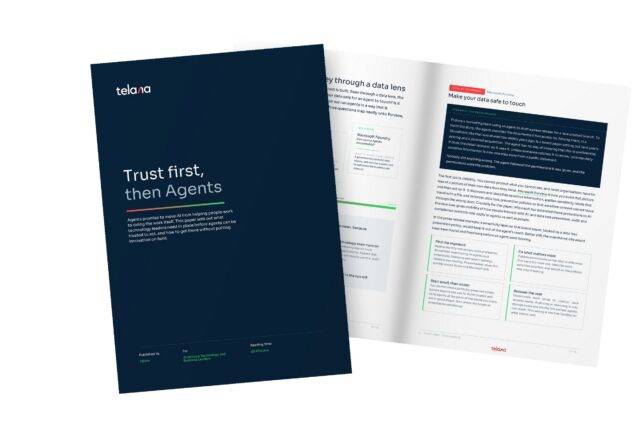
Trust first, then agents
Productivity AI surfaces what a user can already see. Agents go further: they take a goal, reach into your systems and act on it, often with nobody in the loop at the moment it matters. That changes the question from whether a person can see the data to whether an agent should be allowed to act on it.
Our whitepaper, Trust first, then Agents, sets out what needs to be in place before agents can be trusted to act. It describes three foundations, built in the order of the run/drive journey:
- Foundational governance: knowing what data you hold, how sensitive it is and who, or what, should see it.
- A solid data platform: information that is joined up, clean and current enough for agents to rely on.
- An enterprise-grade way to build and run agents: agents that are secure, observable and tied to outcomes the business can measure.
The order sets the emphasis, not a series of gates. The paper explains how to put control first while delivering a first use case from the start, and why people and culture matter as much as the platforms. An AI readiness assessment shows where you stand against each foundation, so you can decide how fast to move.
Book an AI readiness assessment
Understand your current state, your risks and where to start before you spend more on AI.
What is an AI readiness assessment?
It is a structured review of your organisation’s current state and the risks AI adoption would carry. It covers strategy, security and identity, data protection, governance, adoption, your data platform and licensing. It ends with prioritised recommendations and a phased roadmap so you know where to start.
Does it cover Microsoft and Google?
Yes. The technical reviews cover Microsoft 365 and Azure, or Google Workspace and Google Cloud, and the data platform review covers whatever you use for reporting and analytics. If you run a mix of the two, the assessment covers both and shows where they connect.
Will it stop our Copilot or Gemini rollout?
That is your decision. The assessment grades every finding by risk and highlights those an AI assistant would amplify, such as overshared content or over-privileged accounts. Where something is critical, we will say so and recommend pausing or limiting the rollout until it is fixed. Most improvements can run alongside adoption
What if the assessment finds significant risks?
That is common, and useful to know. The findings show where the risks sit across identity, data, governance and platforms, and the roadmap puts them in priority order. It does not tell you to stop. It gives you what you need to decide what to accept, what to fix first and where to invest.
-

Event
-
Whitepaper
-

Transformation